buyer checklist
Best Mini PC For Proxmox NAS
The best mini PC for a Proxmox NAS is not the fastest one; it is the quiet box whose storage, NIC, RAM, cooling, and backup path are boring enough to trust.
Independent third-party notes. Verify critical homelab changes against primary docs and your exact hardware revision.
Quick Answer
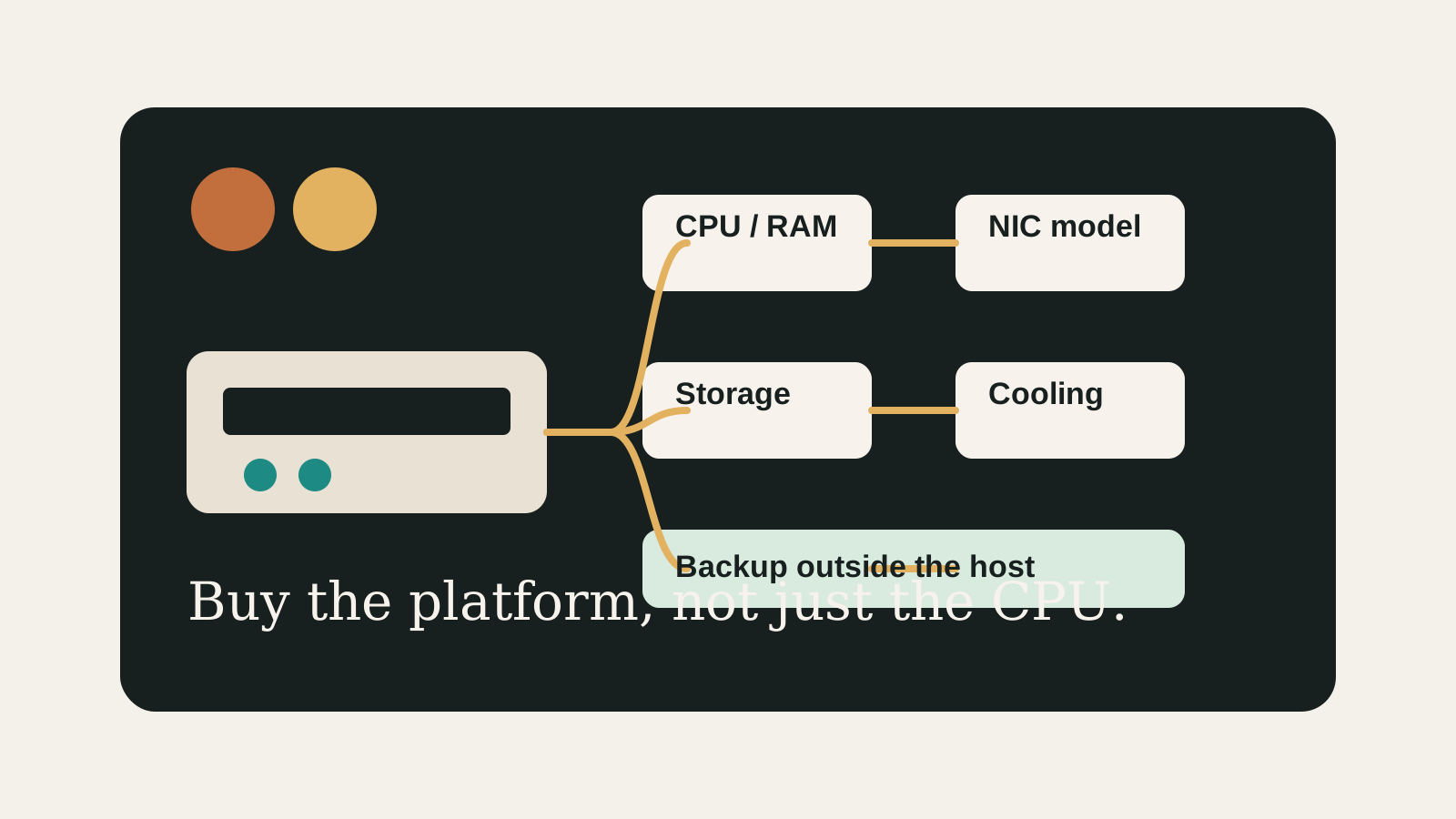
For a first Proxmox NAS, choose the mini PC that makes failure recovery easiest: known NIC, enough replaceable RAM, a clear drive layout, and backups outside the box. N100/N305-class systems can work well, but only after the storage plan passes the checklist.
Buyer verdict
Buy the simplest box that makes storage and recovery obvious.
A low-power mini PC is a good Proxmox NAS host when it has a known NIC, enough RAM, a realistic drive path, and a backup target outside the host.
- Best for
- Quiet first NAS builds, Home Assistant plus file services, and small media or container stacks.
- Avoid if
- You need many internal HDD bays, enterprise-style redundancy, or cannot place backups outside the mini PC.
- Biggest risk
- Buying a quiet efficient CPU and discovering too late that the storage path is cramped.
This page is intentionally conservative. A good first NAS host should not make you clever on day one. It should make disk ownership, backups, network testing, and future restores obvious enough that you can explain the whole build from memory.
Choose your path
If this is your situation, start here
Beginner-safe default
Beginner-safe default
Start with Proxmox-managed storage, an off-box backup, and no storage passthrough. Add a NAS VM only after you can explain disk ownership and recovery.
- Known Intel NIC or well-documented Realtek path
- 32 GB RAM target when running multiple services
- Backup target outside the mini PC
Decision Score
Usually friendly when the workload is written down first.
Mini PC paths can stay living-room friendly.
Good only when the drive plan is explicit.
Exact NIC and switch behavior still need checking.
Best entry point when used as a pre-buy checklist.
Upgrade Path
- Add a second internal SSD or external NAS only after restore testing works.
- Move to HBA passthrough when the host has clean IOMMU groups and separate boot storage.
- Move to a used server or storage appliance if drive bays matter more than noise and power.
Key Facts
- Best starting point
- Start with storage ownership, drive count, NIC model, RAM ceiling, and backup target before comparing CPU benchmarks.
- Beginner fit
- A simple N100 or N305-class host can work well when the NAS role is modest and backups are off-box.
- Main trap
- A quiet mini PC can still be a poor NAS if it has no comfortable path for disks or recovery.
- Decision rule
- Prefer the system whose failure modes you can understand, test, and reverse.
Beginner decision grid
| Question | Good sign | Risk signal |
|---|---|---|
| Can you explain the role? | The workload and storage owner are written down | The box is being bought for vague future use |
| Can you recover? | Backups and rollback live outside the host | Redundancy is treated as the backup |
| Can you test it? | NIC, storage, and restore checks are concrete | The plan depends on assumptions from a product page |
Which mini PC NAS path should you choose?
| Situation | Safer first choice | Move up when |
|---|---|---|
| Mostly containers plus light file sharing | N100/N305 mini PC with simple Proxmox storage | RAM or storage limits become visible |
| Important family files | Mini PC plus off-box backup or separate NAS | You can test restore without the mini PC |
| TrueNAS VM goal | Delay passthrough until disk ownership is clear | HBA isolation and rollback are proven |
| Many HDDs | Used server, DAS, or dedicated NAS chassis | Noise and power are acceptable |
Before You Buy
- Write down whether the NAS data lives inside Proxmox, in a NAS VM, or on an external NAS.
- Confirm the exact NIC model, not just the advertised port speed.
- Check RAM capacity, replaceability, and expected VM/container load.
Watch the traps
Most expensive beginner risks
- Do not buy a mini PC NAS because the CPU looks efficient while ignoring drive count.
- Do not treat a mirror, RAID, or ZFS pool as a backup.
Recommended Checks
- Write down whether the NAS data lives inside Proxmox, in a NAS VM, or on an external NAS.
- Confirm the exact NIC model, not just the advertised port speed.
- Check RAM capacity, replaceability, and expected VM/container load.
- Decide which disks hold boot, VM data, NAS data, and backups.
- Run the final choice through the mini PC NAS checklist before buying.
Verification
- The chosen host has a written storage ownership plan.
- The backup destination is outside the same mini PC.
- The NIC and switch path can be tested at the expected speed.
Start here
A good homelab purchase should feel boring before it feels powerful.
The goal is not to buy the most interesting box. It is to buy the simplest machine that survives the job you actually need it to do.
Warnings
- Do not buy a mini PC NAS because the CPU looks efficient while ignoring drive count.
- Do not treat a mirror, RAID, or ZFS pool as a backup.
Best For
- Quiet first Proxmox NAS builds
- Buyers comparing N100, N305, and workstation-style mini PCs
- Small homeserver workloads
Not For
- Large drive arrays
- Enterprise HA expectations
- Users who need vendor-supported NAS appliance behavior
Common Beginner Traps
- Buying by CPU benchmark
- Trusting USB storage for important data without a recovery plan
- Skipping restore tests
Save this before checkout
Save this before checkout
- CPU is rarely the first NAS problem.
- Unknown NICs create avoidable pain.
- A mirror is not a backup.
- If the disk owner is unclear, do not buy yet.
Examples
Storage ownership:
NIC model:
RAM ceiling:
Drive layout:
Backup target:
Restore test plan:
FAQ
What mini PC should I buy for a Proxmox NAS?
Buy the model whose storage layout, NIC model, RAM ceiling, and backup path are clear. For many beginners, that is more important than choosing the fastest CPU.
Is Intel N100 enough for a Proxmox NAS?
Usually yes for a small NAS plus light services, as long as RAM, storage, and backups fit the plan.
Is Intel N305 worth it?
It is worth considering when the price gap is small and you expect more VMs, but it does not fix weak storage or backup design.
Should I use USB disks?
USB disks can be acceptable for labs or backup rotation, but they are a weaker primary data path for important NAS storage.
Should beginners run TrueNAS as a VM?
Only after understanding passthrough, disk ownership, and rollback. A simpler Proxmox storage layout is often better for a first build.
What should stop me from buying?
Unknown NIC model, no backup destination, no clear drive layout, or a chassis that cannot hold the storage you expect.
Sources
What to read next