buyer checklist
Proxmox Mini PC Buying Checklist
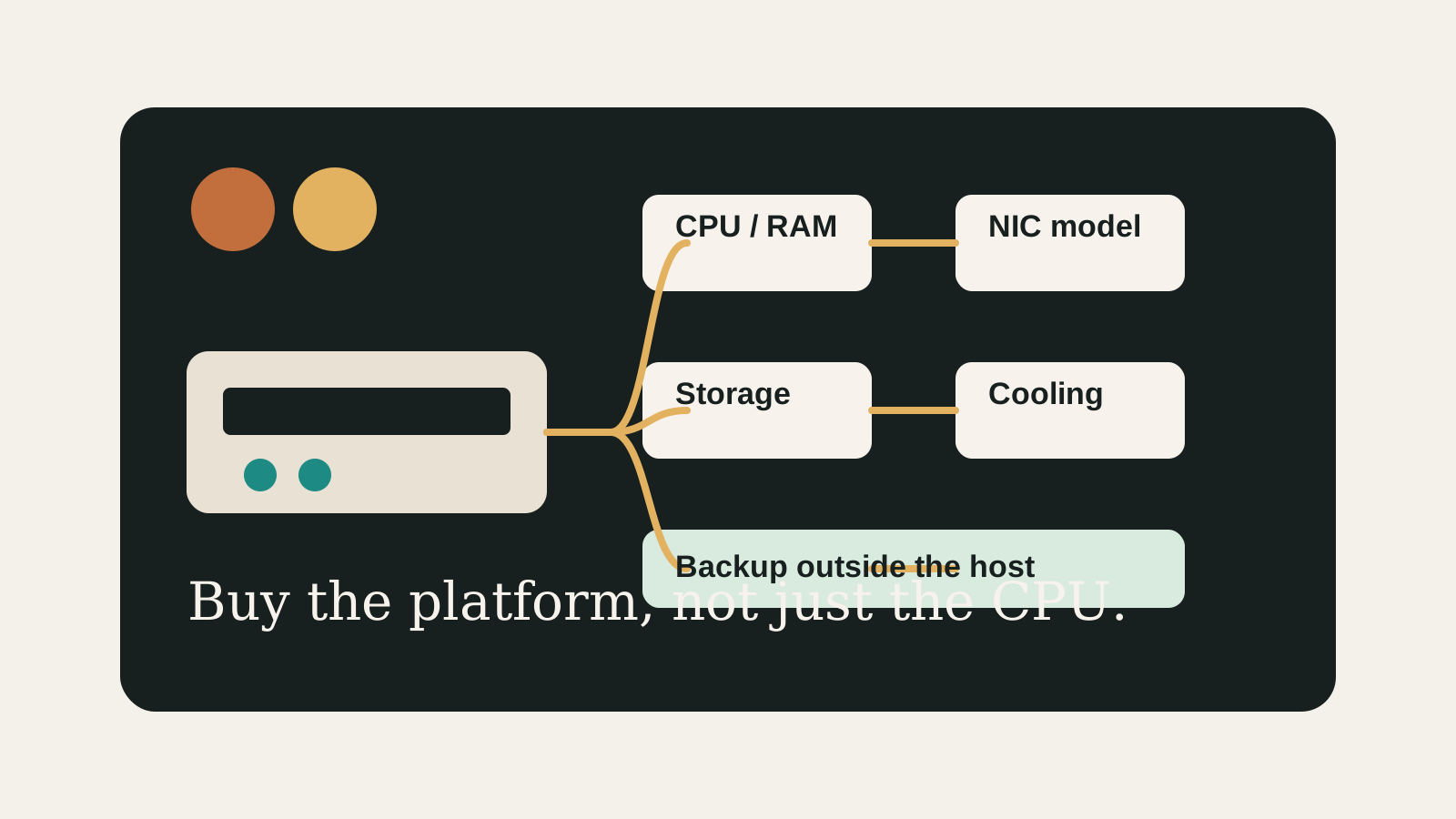
A good Proxmox mini PC purchase starts with the boring checks: exact SKU, RAM ceiling, NIC model, storage slots, cooling, BIOS access, and a backup target.
Independent third-party notes. Verify critical homelab changes against primary docs and your exact hardware revision.
Quick Answer
Do not buy from a product page alone. Fill out the SKU, NIC, RAM, storage, cooling, and backup fields first; if any of those are unknown, treat the deal as unfinished research.
Buyer verdict
A cheap mini PC is only cheap if the unknowns are gone.
Buy when the exact SKU has a known NIC, enough RAM, a storage layout that matches the job, and a recovery plan outside the machine.
- Best for
- First-time Proxmox buyers comparing mini PCs and used office machines.
- Avoid if
- The listing hides the NIC, RAM configuration, BIOS options, or storage slot details.
- Biggest risk
- Saving money on the box and paying for it later with cramped storage or network instability.
Most bad mini PC purchases are not disasters. They are tiny daily annoyances: a vague NIC, soldered RAM, one awkward drive slot, a fan that ramps under load, or backups that live beside the data. This checklist exists to catch those before the return window closes.
Choose your path
If this is your situation, start here
Beginner-safe default
Beginner-safe default
Buy a system with documented Linux/Proxmox experience, replaceable RAM, a known NIC, and enough internal storage for boot plus VM disks.
- Exact SKU and NIC recorded
- RAM can reach the target workload
- Backup target exists before install
Decision Score
Usually friendly when the workload is written down first.
Mini PC paths can stay living-room friendly.
Good only when the drive plan is explicit.
Exact NIC and switch behavior still need checking.
Best entry point when used as a pre-buy checklist.
Upgrade Path
- Move from one mini PC to a small cluster only after restore and update habits are solid.
- Move from mini PC to used server when PCIe slots or HDD bays become the real requirement.
- Move from local storage to NAS VM only after disk ownership is clear.
Key Facts
- First check
- Confirm the exact hardware revision and NIC before buying.
- Storage check
- Count real internal storage options and write down what each disk will do.
- Noise check
- A compact box is only useful if it can live where it will actually run.
- Recovery check
- The backup target should not be the same mini PC.
Beginner decision grid
| Question | Good sign | Risk signal |
|---|---|---|
| Can you explain the role? | The workload and storage owner are written down | The box is being bought for vague future use |
| Can you recover? | Backups and rollback live outside the host | Redundancy is treated as the backup |
| Can you test it? | NIC, storage, and restore checks are concrete | The plan depends on assumptions from a product page |
Mini PC buying decision matrix
| Constraint | Prefer this | Avoid this |
|---|---|---|
| Lowest power | N100/N305-class mini PC | Old rack server for always-on light services |
| More drive bays | Used office SFF, DAS, or NAS chassis | Tiny mini PC with one internal SSD |
| Firewall/router | Multiple known NICs | Unknown 2.5G ports with no console plan |
| Beginner simplicity | Proxmox-managed storage first | Passthrough-first NAS design |
Before You Buy
- Confirm CPU virtualization support and BIOS access.
- Check RAM ceiling and whether memory is replaceable.
- Identify the exact NIC model and expected switch speed.
Watch the traps
Most expensive beginner risks
- Avoid listings that hide the NIC model or RAM configuration.
- Do not buy a tiny box for a storage-heavy plan without drive math.
Recommended Checks
- Confirm CPU virtualization support and BIOS access.
- Check RAM ceiling and whether memory is replaceable.
- Identify the exact NIC model and expected switch speed.
- Map boot, VM, NAS, and backup storage before buying.
- Read at least one hardware-fit page for the exact class of system.
Verification
- A pre-buy scorecard is filled out.
- The chosen model has a clear storage and backup plan.
- The next article in the reading path matches the intended use.
Start here
A good homelab purchase should feel boring before it feels powerful.
The goal is not to buy the most interesting box. It is to buy the simplest machine that survives the job you actually need it to do.
Warnings
- Avoid listings that hide the NIC model or RAM configuration.
- Do not buy a tiny box for a storage-heavy plan without drive math.
Best For
- First-time Proxmox buyers
- Low-power homelabs
- Mini PC NAS planning
Not For
- Enterprise procurement
- Large rack storage builds
- Users who already have fixed hardware
Common Beginner Traps
- Buying the cheapest SKU
- Ignoring BIOS options
- Assuming every 2.5G NIC behaves the same
Save this before checkout
Save this before checkout
- Exact SKU beats brand name.
- NIC model beats advertised speed.
- RAM ceiling beats launch price.
- Backup path beats storage optimism.
Examples
CPU:
RAM ceiling:
NIC model:
Internal storage:
Noise/cooling:
Backup target:
Fallback plan:
FAQ
What is the safest first Proxmox mini PC?
One with documented Linux support, replaceable RAM, a known NIC, and enough internal storage for the actual workload.
How much RAM should I target?
For a simple host, 16 GB can work. For a NAS plus several services, 32 GB is a more comfortable planning target.
Should I avoid Realtek NICs?
Not always, but identify the exact model and check Linux/Proxmox experience before buying.
Is used office hardware better?
It can be better for drive bays and cost, but may lose on power, noise, size, and idle efficiency.
What is the biggest buying mistake?
Buying for CPU benchmark while ignoring RAM ceiling, NIC model, storage slots, and backups.
Sources
What to read next