buyer checklist
Proxmox Mini PC NAS Checklist
A mini PC can be a strong Proxmox NAS host when the storage path, NIC, RAM, backups, and passthrough plan are checked before purchase.
Independent third-party notes. Verify critical homelab changes against primary docs and your exact hardware revision.
Quick Answer
A mini PC can be a strong Proxmox NAS host when the storage path, NIC, RAM, backups, and passthrough plan are checked before purchase. Before buying or changing the build, verify the risks below instead of trusting the headline spec.
Buyer verdict
Use this as a decision checkpoint before spending money.
A mini PC can be a strong Proxmox NAS host when the storage path, NIC, RAM, backups, and passthrough plan are checked before purchase.
- Best for
- Low-power homelabs
- Avoid if
- Large storage arrays
- Biggest risk
- A compact mini PC can become storage-limited long before it becomes CPU-limited.
A mini PC NAS is tempting because it is quiet, efficient, and easy to hide on a shelf. The trap is that NAS builds fail quietly in the boring places: not enough drive connections, a flaky 2.5G port, unclear disk ownership, or no real restore path. Treat the box like a platform decision, not a gadget purchase.
Choose your path
If this is your situation, start here
Beginner-safe default
Beginner-safe default
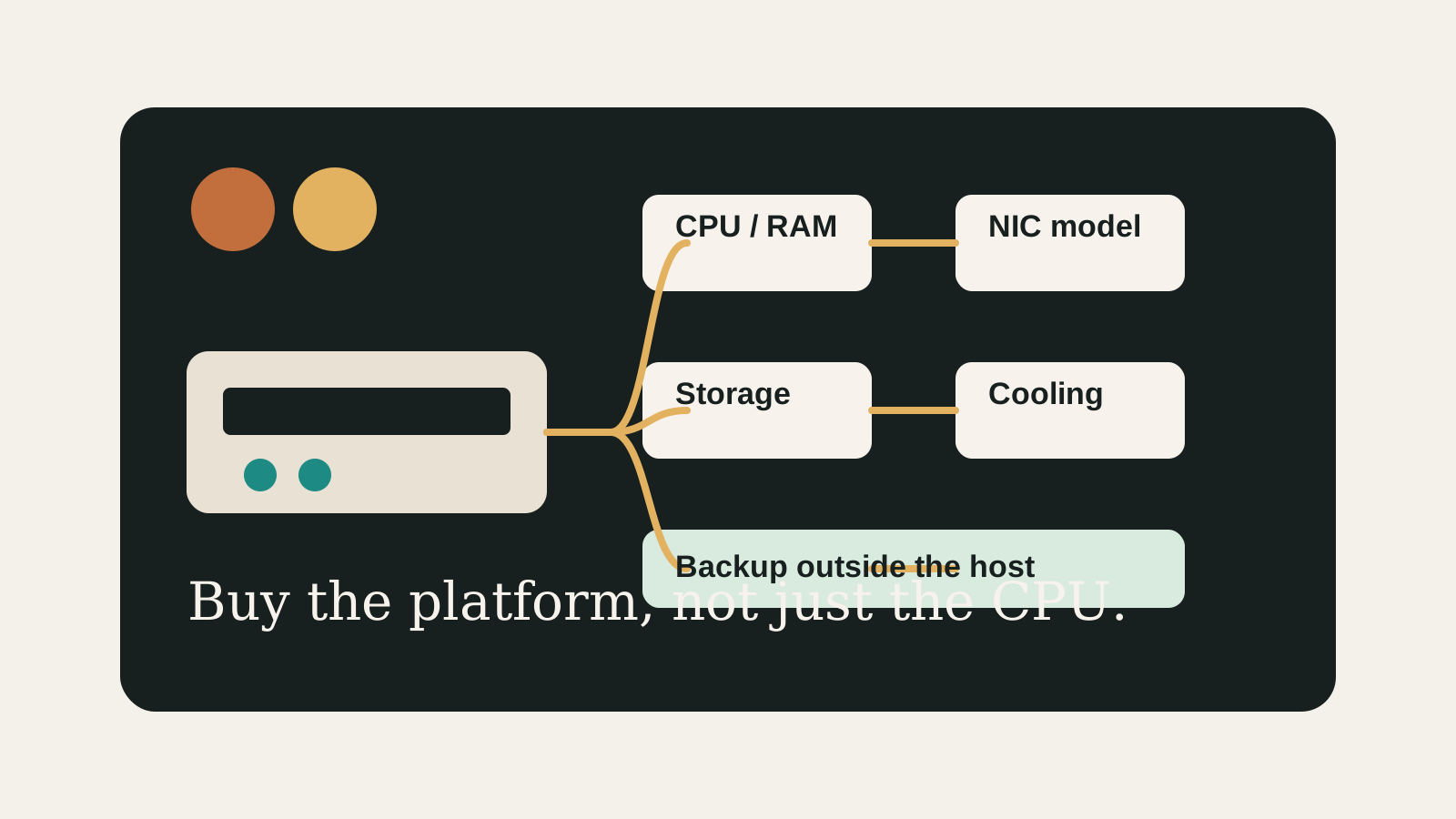
Choose the boring path first: known hardware details, one clear storage owner, console access for network changes, and a backup target outside the host.
- Exact SKU, NIC, and storage layout are recorded
- Rollback or restore path exists before the change
- The next step is small enough to test
Decision Score
Usually friendly when the workload is written down first.
Mini PC paths can stay living-room friendly.
Good only when the drive plan is explicit.
Exact NIC and switch behavior still need checking.
Best entry point when used as a pre-buy checklist.
Upgrade Path
- Start with the simplest design that satisfies the current workload.
- Add complexity only after backups, restore tests, and network access are proven.
- Move to the next hardware or architecture class when the current constraint is measured, not guessed.
Key Facts
- Primary decision
- Do not buy on CPU alone; storage expandability and network reliability decide most NAS builds.
- Minimum fit
- A supported 64-bit CPU, enough RAM, stable storage, and a reliable NIC are the baseline.
- NAS risk
- USB disks and tiny internal storage can work for labs but are weaker than planned SATA/NVMe layouts for important data.
- Best next page
- Map the build to ZFS, backup, and passthrough pages before buying parts.
Pre-buy decision grid
| Check | Good sign | Risk signal |
|---|---|---|
| Storage | Two internal drives or a clear external/NAS plan | Single tiny SSD expected to hold everything |
| Network | Known NIC model with sustained-transfer testing | Unknown 2.5G port and no switch/cable plan |
| Workloads | Written list of VMs, containers, and NAS duties | Buying for vague future expansion |
| Recovery | Backup target outside the mini PC | Mirror or RAID treated as the backup |
How to decide
| If this is true | Safer path | Pause when |
|---|---|---|
| The exact hardware details are known | Continue with the checklist | NIC, RAM, or storage details are missing |
| The setup will hold important data | Plan backup and restore first | Redundancy is being treated as backup |
| The design needs passthrough or VLANs | Document rollback before changing | You have no local console access |
| The goal is a first homelab | Keep the first version boring | The plan depends on too many untested assumptions |
Before You Buy
- List the workloads that must run: NAS VM, containers, firewall VM, media server, Home Assistant, or test VMs.
- Check CPU virtualization support, RAM ceiling, NIC model, drive bays, M.2 slots, and cooling.
- Decide whether storage stays inside Proxmox, passes through to a NAS VM, or lives on an external NAS.
Watch the traps
Most expensive beginner risks
- A compact mini PC can become storage-limited long before it becomes CPU-limited.
- Do not treat RAID, ZFS mirror, or passthrough as a replacement for backups.
Recommended Checks
- List the workloads that must run: NAS VM, containers, firewall VM, media server, Home Assistant, or test VMs.
- Check CPU virtualization support, RAM ceiling, NIC model, drive bays, M.2 slots, and cooling.
- Decide whether storage stays inside Proxmox, passes through to a NAS VM, or lives on an external NAS.
- Plan backups separately from the mini PC.
- Prefer hardware with documented Linux and Proxmox community experience.
Verification
- The chosen system has enough physical storage connections for the intended NAS layout.
- The NIC model is known and has a Linux driver path.
- The backup destination is outside the same mini PC.
Builder note
The boring checklist is the product.
Readers searching this topic are usually already half-convinced. The page should slow them down just enough to prevent the expensive mistake: buying a nice small box that has no comfortable path for drives, backups, or recovery.
Warnings
- A compact mini PC can become storage-limited long before it becomes CPU-limited.
- Do not treat RAID, ZFS mirror, or passthrough as a replacement for backups.
Best For
- Low-power homelabs
- Small NAS plus services
- Buyers comparing N100, N305, Ryzen, and workstation-style mini PCs
Not For
- Large storage arrays
- Enterprise HA expectations
- Users who need vendor support for every component
Common Beginner Traps
- Choosing only by CPU benchmark
- Ignoring NIC model
- Putting the only backup on the same box
Save this before checkout
Save this before acting
- Exact hardware details matter more than the product family name.
- Backups and rollback should exist before important changes.
- Unknown NIC, storage, or passthrough details are buying blockers.
- A simpler first build is usually easier to trust.
Examples
CPU virtualization: yes/no
RAM ceiling: 16/32/64 GB
NIC model: Intel i226-V / Realtek RTL8125 / other
Storage: M.2 count, SATA count, USB plan
Backup: external NAS / USB rotation / PBS host
Passthrough needed: HBA / USB / GPU
FAQ
Is Proxmox Mini PC NAS Checklist beginner-friendly?
It can be, if you treat it as a checklist and verify the exact hardware, storage, network, and backup details before depending on it.
What should I verify first?
Start with the exact SKU or configuration, then check NIC, RAM, storage ownership, cooling, backups, and rollback.
What is the main trap?
Moving forward because the category sounds right while the exact failure mode is still unknown.
When should I pause?
Pause when the plan depends on unknown NIC behavior, unclear disk ownership, no backup target, or no way to recover from a bad change.
What should I read next?
Follow the reading path at the bottom of the page based on the first risk you found.
Sources
What to read next