networking fit
Intel i226-V 2.5G Proxmox Notes
Intel i226-V 2.5G NICs are common in modern mini PCs and can be a strong Proxmox fit, but exact kernel, BIOS, cable, switch, and power-management behavior should be verified.
Independent third-party notes. Verify critical homelab changes against primary docs and your exact hardware revision.
Quick Answer
Intel i226-V 2.5G NICs are common in modern mini PCs and can be a strong Proxmox fit, but exact kernel, BIOS, cable, switch, and power-management behavior should be verified. Before buying or changing the build, verify the risks below instead of trusting the headline spec.
Buyer verdict
Use this as a decision checkpoint before spending money.
Intel i226-V 2.5G NICs are common in modern mini PCs and can be a strong Proxmox fit, but exact kernel, BIOS, cable, switch, and power-management behavior should be verified.
- Best for
- Mini PC NAS builds
- Avoid if
- Users who need guaranteed vendor support
- Biggest risk
- Do not assume two ports on the chassis mean identical NIC behavior.
Intel i226-V 2.5G Proxmox Notes should help you make a calmer decision. The point is not to make the homelab more complicated; it is to reveal the first thing that could make the build annoying, fragile, or hard to recover.
Choose your path
If this is your situation, start here
Beginner-safe default
Beginner-safe default
Choose the boring path first: known hardware details, one clear storage owner, console access for network changes, and a backup target outside the host.
- Exact SKU, NIC, and storage layout are recorded
- Rollback or restore path exists before the change
- The next step is small enough to test
Decision Score
NIC choice is usually not the power bottleneck.
Networking checks rarely change placement.
Not a storage decision.
This is the main thing to validate.
Friendly if link, bridge, and switch checks are concrete.
Upgrade Path
- Start with the simplest design that satisfies the current workload.
- Add complexity only after backups, restore tests, and network access are proven.
- Move to the next hardware or architecture class when the current constraint is measured, not guessed.
Key Facts
- Where it appears
- Many current mini PCs ship with one or more 2.5G Ethernet ports based on Intel i226-V.
- Fit signal
- Intel NICs are often preferred by homelab builders, but model-specific behavior still matters.
- Test target
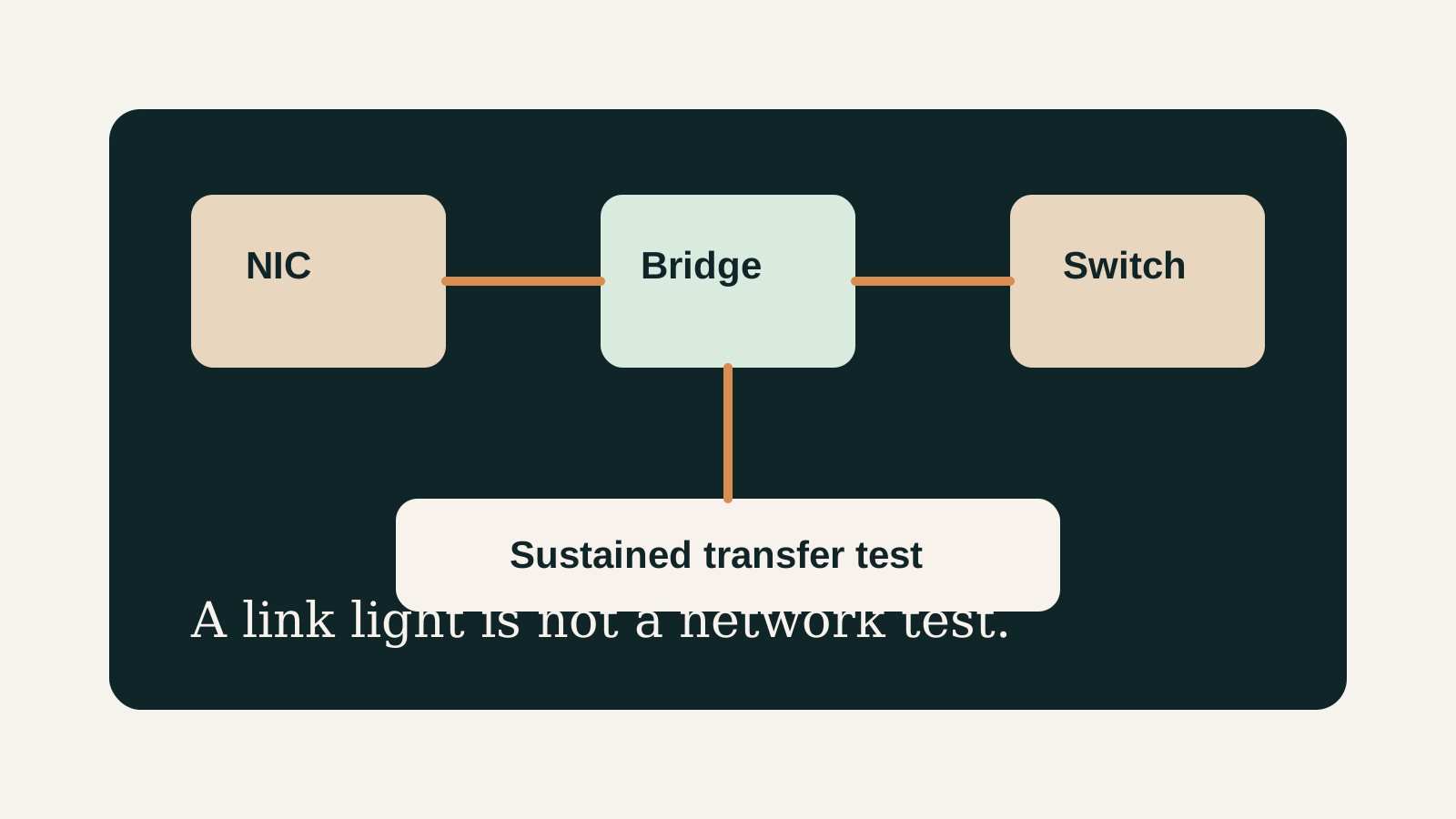
- Validate link speed, stability, bridge configuration, and sustained transfers.
- Failure pattern
- Network issues are often caused by cabling, switch negotiation, bridge config, or power saving rather than the NIC alone.
How to decide
| If this is true | Safer path | Pause when |
|---|---|---|
| The exact hardware details are known | Continue with the checklist | NIC, RAM, or storage details are missing |
| The setup will hold important data | Plan backup and restore first | Redundancy is being treated as backup |
| The design needs passthrough or VLANs | Document rollback before changing | You have no local console access |
| The goal is a first homelab | Keep the first version boring | The plan depends on too many untested assumptions |
Before You Buy
- Identify the NIC model from the product spec and from the running Proxmox host.
- Check link speed and errors after installation.
- Create or confirm the Linux bridge used by Proxmox guests.
Watch the traps
Most expensive beginner risks
- Do not assume two ports on the chassis mean identical NIC behavior.
- A 2.5G NIC will not help if the switch, cable, or storage path is slower.
Recommended Checks
- Identify the NIC model from the product spec and from the running Proxmox host.
- Check link speed and errors after installation.
- Create or confirm the Linux bridge used by Proxmox guests.
- Run sustained transfer tests to another 2.5G-capable device.
- Record switch, cable, and BIOS settings so future issues are reproducible.
Verification
- The host links at expected speed.
- Guests can reach the LAN through the bridge.
- Sustained transfers do not flap the link.
Warnings
- Do not assume two ports on the chassis mean identical NIC behavior.
- A 2.5G NIC will not help if the switch, cable, or storage path is slower.
Best For
- Mini PC NAS builds
- Router/firewall lab boxes
- Small cluster nodes
Not For
- Users who need guaranteed vendor support
- 10G storage networks
Common Beginner Traps
- Skipping cable tests
- Editing network config remotely without console access
- Blaming Proxmox before checking switch negotiation
Save this before checkout
Save this before acting
- Exact hardware details matter more than the product family name.
- Backups and rollback should exist before important changes.
- Unknown NIC, storage, or passthrough details are buying blockers.
- A simpler first build is usually easier to trust.
Examples
NIC model:
Bridge name:
Expected link speed:
Switch port:
Cable type:
Sustained transfer result:
Errors after test:
FAQ
Is Intel i226-V 2.5G Proxmox Notes beginner-friendly?
It can be, if you treat it as a checklist and verify the exact hardware, storage, network, and backup details before depending on it.
What should I verify first?
Start with the exact SKU or configuration, then check NIC, RAM, storage ownership, cooling, backups, and rollback.
What is the main trap?
Moving forward because the category sounds right while the exact failure mode is still unknown.
When should I pause?
Pause when the plan depends on unknown NIC behavior, unclear disk ownership, no backup target, or no way to recover from a bad change.
What should I read next?
Follow the reading path at the bottom of the page based on the first risk you found.
Sources
What to read next